

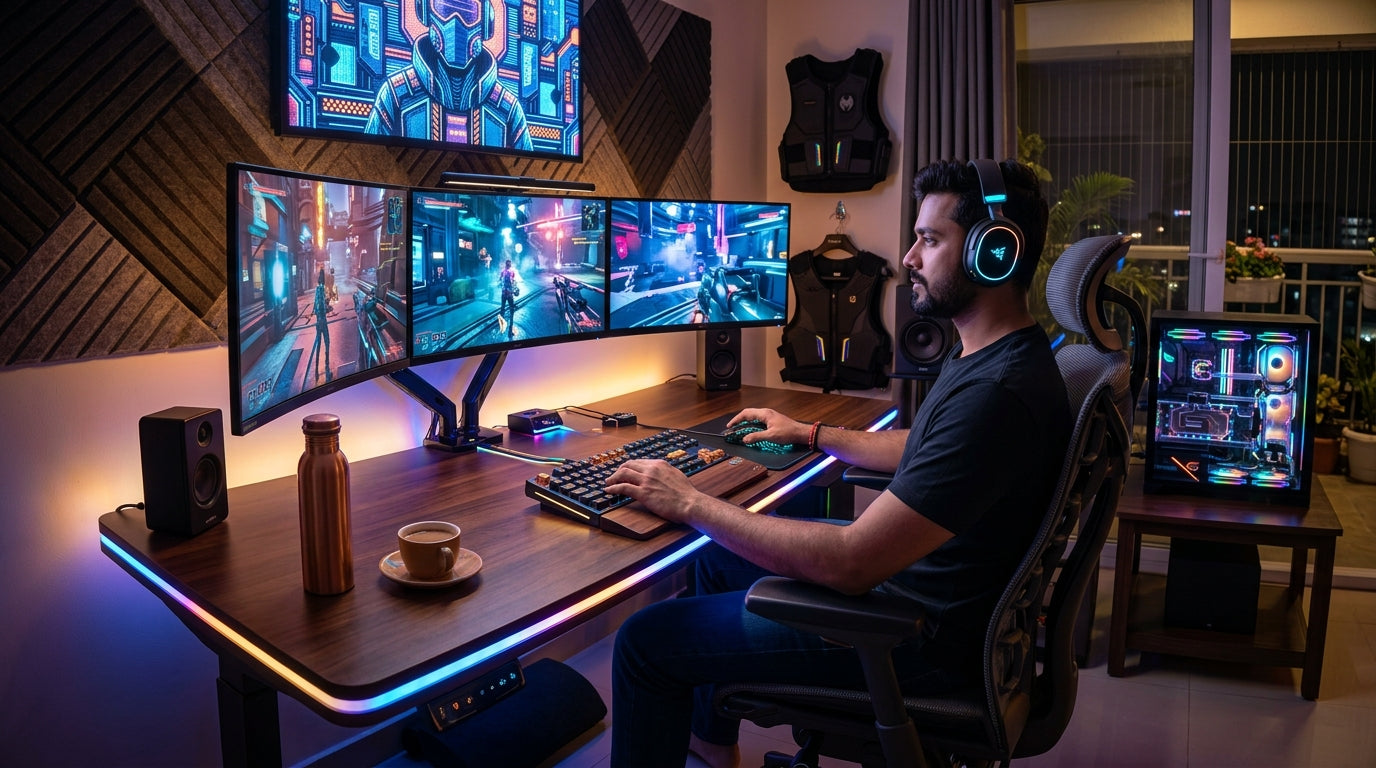
The Indian PC gaming scene is thriving, with more gamers than ever diving into immersive virtual worlds. Beyond just raw performance, today's gamers seek setups that truly feel like their own. This guide helps you tailor your essential peripherals – keyboard, mouse, and headphones – for unmatched comfort, personal style, and deeper immersion, ensuring every gaming session is a joy, not a chore.
Crafting Your Command Center: The Personalized Keyboard
- Choose a keyboard layout that suits your desk space and gaming style.
- Full-size keyboards like the Verity Onyx offer dedicated keys and a numpad for productivity and versatile gaming.
- Compact layouts, like a 96% with numpad (e.g., Verity Unifire 96) or a TKL/60%, free up mouse movement space.
- Experiment with mechanical switch types – linear for smooth presses, tactile for a bump, or clicky for an audible feedback.
- Consider hot-swappable keyboards to easily change switches without soldering, tailoring feel and sound.
- Select keycap profiles and materials (ABS, PBT) for a comfortable touch and aesthetic appeal.
- Add a comfortable wrist rest to support long gaming sessions, reducing strain.
- Customize RGB lighting patterns to match your mood or game, creating a vibrant focal point for your setup.
Your Extension: The Ergonomic & Stylish Gaming Mouse
- Find a mouse shape and size that perfectly fits your hand and grip style (palm, claw, fingertip).
- Ergonomic designs reduce fatigue during extended gameplay, crucial for long-term comfort.
- Adjust mouse weight to your preference – lighter for quick flicks, heavier for stability and precision.
- Customize DPI/CPI settings to match your monitor resolution and in-game sensitivity for precise control.
- Program extra buttons for in-game macros or shortcuts, streamlining your workflow.
- Choose between wired for zero latency or wireless for decluttered freedom and flexibility.
- Select mouse surface materials that offer good grip and feel comfortable against your skin.
- Integrate RGB lighting on your mouse with your overall setup's theme for a cohesive look.
Immersive Worlds: The Perfect Gaming Headset
- Prioritize comfort with breathable ear cup materials (fabric, velour) and ample padding for long sessions.
- Ensure the headset's clamping force is snug but not too tight, preventing discomfort over time.
- Consider open-back headphones for a wider soundstage and better immersion, if ambient noise isn't an issue.
- Closed-back designs offer better noise isolation, perfect for focusing in louder environments.
- Tune the sound profile – some prefer bass-heavy for explosions, others a balanced sound for competitive cues.
- Choose between wired for reliable audio or wireless for freedom of movement around your setup.
- Look for clear microphone quality for seamless communication with teammates in multiplayer games.
- Customize RGB lighting on your headset to complement your entire gaming aesthetic.
Beyond the Basics: Aesthetic & Personal Touches
- Synchronize RGB lighting across all your peripherals (keyboard, mouse, headset) for a unified display.
- Select a color palette that reflects your personal style – minimalist, vibrant, or dark and edgy.
- Invest in a large, comfortable desk mat that ties your peripherals together and offers ample mouse space.
- Utilize cable management solutions (ties, sleeves, channels) to keep your setup clean and visually appealing.
- Consider custom keycap sets to personalize your keyboard's look and feel further.
- Add decorative elements like figures, posters, or mood lighting to enhance your gaming den's ambiance.
- Explore DIY modifications like painting mouse shells or adding custom grips for a truly unique touch.
- A personalized setup enhances not just aesthetics but also comfort and your overall gaming enjoyment.
Top Recommended Picks

Keyboard
- 104-key full-size
- 26-key anti-ghosting + N-Key rollover
- RGB rainbow + side lights
- dedicated volume knob
- magnetic palm rest
- detachable braided Type-C cable
- dedicated ₹ key
- double-shot keycaps
- 1-year warranty

Keyboard
- 96% compact layout with numpad
- 18+ RGB lighting modes
- software macro customization
- multimedia knob
- high-grade ABS build
- multi-device switching
- software downloadable

Keyboard
- RGB backlight
- compact gaming layout
- anti-ghosting
- side light strips
Final Thoughts
Your gaming setup is an extension of you. By carefully selecting and customizing your keyboard, mouse, and headphones, you're not just buying gear; you're investing in a personalized experience. Embrace the journey of discovery, experiment with different styles, and build a setup that truly reflects your unique personality and maximizes your gaming enjoyment for years to come.
Share:
Mastering Versatility: Adapting Your PC Gaming Peripherals for Every Game & Playstyle in India (2026)
Future-Proof Your Arsenal: Essential Maintenance & Upgrade Guide for Indian PC Gaming Peripherals (2026)