

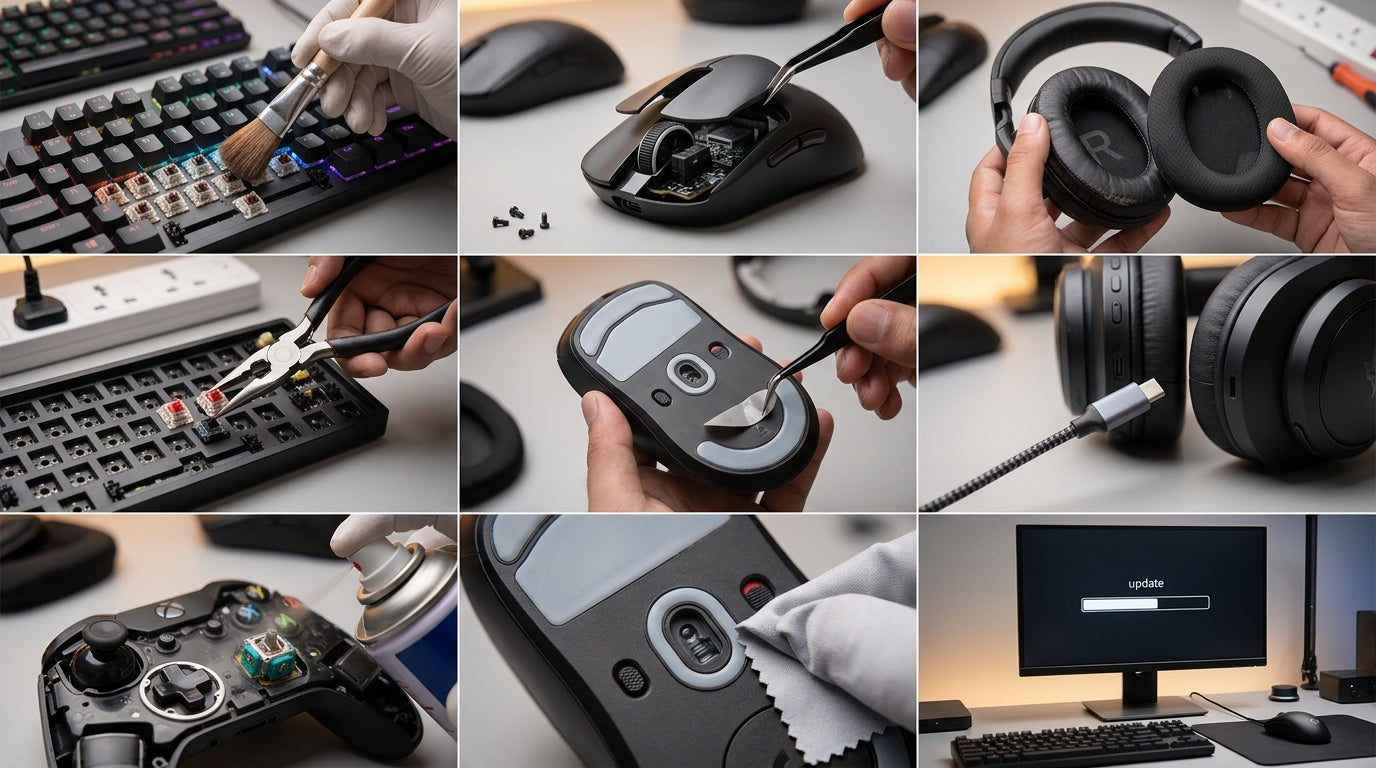
In India's booming PC gaming and esports scene, your peripherals are crucial for competitive edge and immersive experiences. With rising component costs, maximizing the lifespan and sustained performance of your gaming keyboard, mouse, headset, and even CPU cooler isn't just smart – it's essential. This guide empowers you to keep your gear in peak condition, ensuring your investment delivers lasting value and consistent performance well into 2026 and beyond.
Mastering Keyboard Longevity & Performance
- Regularly clean between keycaps with compressed air to remove dust, crumbs, and debris.
- Use a keycap puller to deep clean switches and the board's plate annually, preventing sticky keys and misfires.
- Wipe keycaps with a microfiber cloth and mild cleaner to prevent oil buildup and preserve legend visibility.
- Consider hot-swappable keyboards for easy switch replacement and future customization without buying a new board.
- Keep firmware updated to ensure optimal performance and access to new features or bug fixes.
- For wired keyboards, secure the cable to prevent strain at the connector, or choose models with detachable cables for easy replacement.
- Store your keyboard covered when not in use to protect against dust and accidental spills.
Sustaining Mouse Precision & Responsiveness
- Clean your mouse sensor regularly with a cotton swab and rubbing alcohol for accurate tracking.
- Inspect and clean glide pads (mouse feet) for wear; replace them when they start to drag or lose smoothness.
- Wipe down the mouse body with a damp cloth to remove sweat, oils, and grime affecting grip and aesthetics.
- Manage your mouse cable to prevent snags and fraying, using a mouse bungee for wired models.
- For wireless mice, monitor battery health and use quality rechargeable batteries or ensure proper charging habits to extend lifespan.
- Keep mouse drivers and software updated for the latest performance enhancements and bug fixes.
Optimizing Headset Audio & Comfort for the Long Haul
- Clean earpads frequently with a damp cloth; consider replacing worn earpads for hygiene and comfort.
- Gently wipe down the headband and microphone boom, ensuring no dust or debris obstructs the mic.
- Store your headset on a stand to prevent cable tangles, earcup deformation, and general wear.
- Handle cables carefully, avoiding sharp bends or excessive pulling, especially at connection points.
- Keep headset software updated for the best audio profiles and virtual surround sound performance.
- Periodically check and clean the microphone's windsock or foam cover to maintain clear communication.
Maintaining Your CPU Cooler for Peak PC Performance
- Regularly clean dust from heatsink fins and fan blades using compressed air, maintaining optimal airflow.
- For air coolers, ensure fan mounting points are secure and vibration-free.
- For AIO liquid coolers, inspect tubing for kinks or leaks and ensure pump operation is quiet and consistent.
- Reapply thermal paste every 2-3 years, or when significant temperature increases are observed, for efficient heat transfer.
- Monitor fan speeds and temperatures via software to detect potential issues early.
- Consider replacing aging fans with higher-performance or quieter alternatives if noise or cooling efficiency declines.
Strategic Upgrades & Future-Proofing Your Gaming Setup
- Prioritize upgrades based on wear and performance bottlenecks, rather than just new releases.
- Invest in peripherals with durable build quality and modular components for easier maintenance and part replacement.
- Consider peripherals with comprehensive software suites for macro customization and performance tuning.
- Look for versatile connectivity options, like tri-mode wireless, for adaptability across different setups.
- Ensure your peripherals are compatible with future hardware and operating system updates.
- Balance initial cost with long-term value; a well-maintained, slightly more expensive peripheral can outlast cheaper alternatives.
Top Recommended Picks

Keyboard
- 96% compact layout with numpad
- 18+ RGB lighting modes
- software macro customization
- multimedia knob
- high-grade ABS build
- multi-device switching
- software downloadable

Keyboard
- 104-key full-size
- 26-key anti-ghosting + N-Key rollover
- RGB rainbow + side lights
- dedicated volume knob
- magnetic palm rest
- detachable braided Type-C cable
- dedicated ₹ key
- double-shot keycaps
- 1-year warranty
Final Thoughts
Investing in high-performance gaming peripherals in India means investing in your passion. By adopting these practical maintenance routines and making smart upgrade decisions, you're not just extending the life of your gear; you're securing your competitive advantage and maximizing the value of every rupee. Keep your VerityVerse arsenal sharp, and stay ahead in the dynamic world of Indian PC gaming.
Share:
Your Gaming, Your Way: Customizing Peripherals for Comfort, Style & Immersion in India (2026)
Cool & Comfy: Mastering Peripheral Longevity & Performance for Indian PC Gamers (2026)