

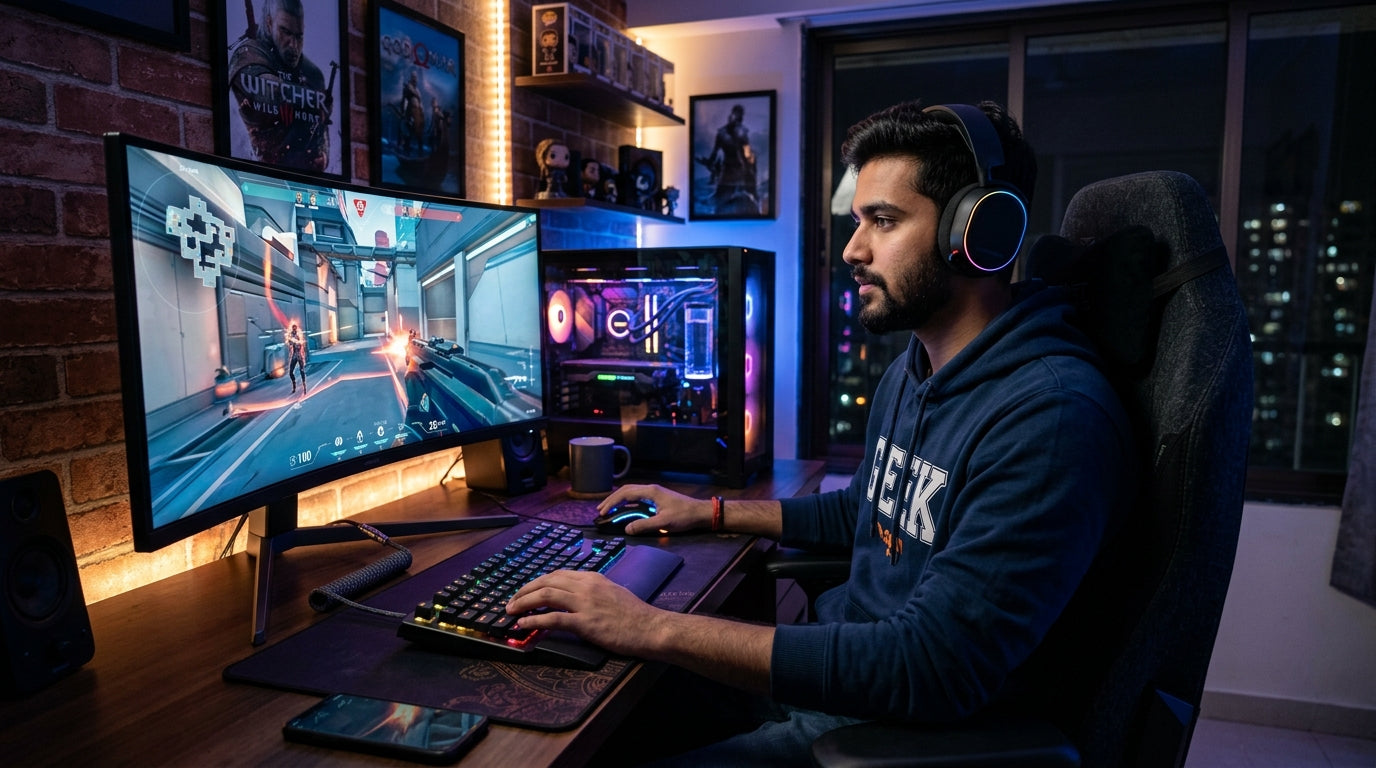
In India's dynamic PC gaming landscape, where hardware costs are a significant investment, making your peripherals last longer and perform at their best isn't just a luxury – it's smart economics. This guide will equip Indian PC gamers with practical strategies for thermal management and ergonomic setup to ensure your essential gear delivers sustained peak performance and comfort, session after session.
The Heat Is On: Smart Thermal Management for Your Setup
- Understand Ambient Temperatures: India's climate often means higher room temperatures; factor this into your cooling strategy.
- CPU Cooler Maintenance: Regularly clean dust from your CPU cooler's fins and fan blades using compressed air.
- Ensure proper thermal paste application for optimal heat transfer from your CPU to the cooler.
- Case Airflow: Optimize your PC case's fan configuration for effective intake and exhaust, creating positive or neutral air pressure.
- Keep your gaming rig off the carpet and in a well-ventilated space to prevent dust accumulation and improve airflow.
- Peripheral Placement: Avoid placing peripherals directly in strong sunlight or near heat sources that can accelerate material degradation.
- Monitor Peripheral Temps: While not common for all peripherals, be mindful of unusually hot mice or keyboards, which might indicate an underlying issue.
Game On, Comfortably: Ergonomic Practices for Longevity & Health
- Proper Chair & Posture: Invest in an ergonomic gaming chair and ensure your feet are flat on the floor, back supported, and shoulders relaxed.
- Keyboard Positioning: Place your keyboard centrally, allowing your wrists to remain straight, not bent up, down, or sideways.
- Utilize a wrist rest to support your wrists and reduce strain, especially during extended gaming sessions.
- Mouse Grip & Sensitivity: Experiment with different mouse grips (palm, claw, fingertip) to find what minimizes strain on your wrist and fingers.
- Adjust mouse DPI/sensitivity to avoid excessive arm or wrist movements, allowing for precise control with minimal effort.
- Monitor Height: Position your monitor so the top third of the screen is at eye level, preventing neck strain.
- Take Regular Breaks: Step away from your setup every hour or so to stretch, rest your eyes, and reduce cumulative stress on your body.
Keyboard Care: Keeping Your Keystrokes Crisp
- Regular Cleaning: Use compressed air to blow out dust, crumbs, and debris from between and under keycaps.
- Wipe keycaps with a slightly damp, lint-free cloth or an isopropyl alcohol wipe to remove grime and oils.
- Keycap Longevity: Consider keyboards with durable double-shot keycaps, which resist wear and fading over time.
- Avoid eating or drinking near your keyboard to prevent spills and sticky residue.
- Cable Management: For wired keyboards, secure the cable to prevent snagging, fraying, or stress on the connector.
- If your keyboard has a detachable cable, handle it carefully when connecting or disconnecting.
Mouse Maintenance: Precision & Glide That Lasts
- Sensor Cleaning: Regularly clean the optical or laser sensor on the underside of your mouse with a cotton swab and a small amount of isopropyl alcohol.
- Glide Pad Care: Inspect and clean your mouse's glide pads (feet) to ensure smooth movement across your mousepad.
- Replace worn-out glide pads to maintain optimal tracking and reduce friction.
- Mousepad Hygiene: Keep your mousepad clean, as dirt and debris on its surface can affect sensor performance and wear down glide pads.
- Button & Scroll Wheel: For any sticking buttons or scroll wheels, try a quick burst of compressed air to dislodge debris.
- Cable Management (Wired Mice): Use a mouse bungee or clip to prevent cable drag and wear, enhancing both longevity and in-game freedom of movement.
Optimizing Your Overall Gaming Environment
- Room Temperature Control: Maintain a comfortable room temperature to reduce stress on both you and your electronics.
- Dust Control: Regularly dust your entire gaming area, including your desk, monitor, and PC chassis, to minimize airborne particles.
- Cable Organization: Neatly manage all cables to prevent tangles, accidental pulls, and potential damage to connectors.
- Power Protection: Use a surge protector for all your gaming gear to safeguard against voltage spikes that can damage electronics.
- Clean Hands: Always game with clean hands to minimize the transfer of oils, dirt, and food particles to your peripherals.
- Storage: When not in use, consider covering peripherals or storing them away from dust and direct sunlight if you're not gaming for extended periods.
Top Recommended Picks

Keyboard
- 104-key full-size
- 26-key anti-ghosting + N-Key rollover
- RGB rainbow + side lights
- dedicated volume knob
- magnetic palm rest
- detachable braided Type-C cable
- dedicated ₹ key
- double-shot keycaps
- 1-year warranty

Keyboard
- 96% compact layout with numpad
- 18+ RGB lighting modes
- software macro customization
- multimedia knob
- high-grade ABS build
- multi-device switching
- software downloadable
Final Thoughts
By integrating these thermal management and ergonomic practices into your routine, you’re not just maintaining your gaming peripherals; you're investing in your long-term comfort, performance, and the value of your hard-earned rupee. A well-cared-for setup means more immersive, comfortable, and victorious gaming sessions, ensuring your gear keeps up with your ambitions for years to come. Game smarter, not just harder!
Share:
Future-Proof Your Arsenal: Essential Maintenance & Upgrade Guide for Indian PC Gaming Peripherals (2026)
Unleash the Soundscape: Crafting an Immersive Audio & Sensory Gaming Experience in India (2026)