

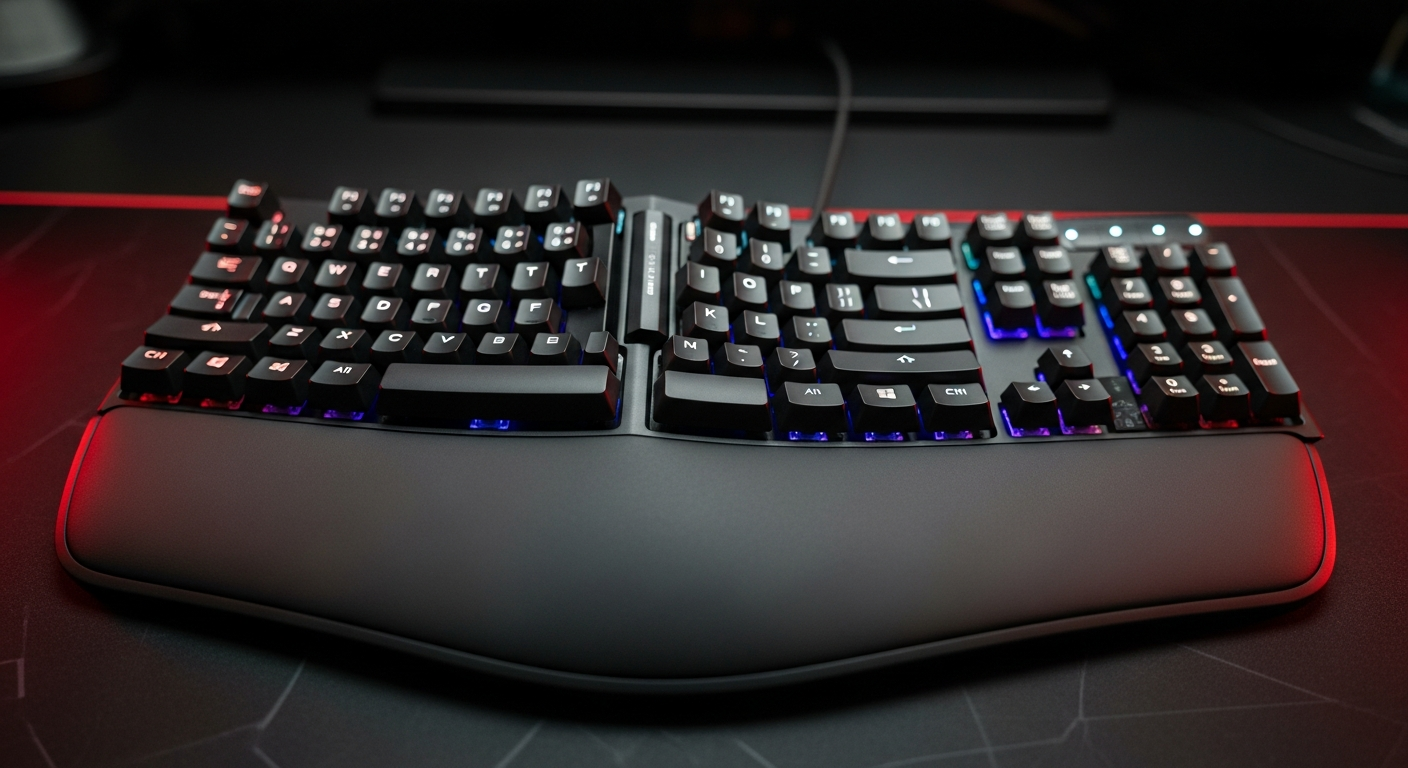
For optimal long-term comfort and injury prevention in Indian gaming, the Verity Onyx Mechanical Gaming Keyboard stands out as the best overall choice due to its included magnetic palm rest, crucial for wrist support. For gamers seeking a budget-friendly option, the Verity Eclipse RGB Mechanical Gaming Keyboard's compact layout can indirectly contribute to better posture by minimizing hand travel.
Table of Contents
- 1. Why Ergonomics Matters for Indian Gamers
- 2. Key Ergonomic Features to Look for in a Keyboard
- 3. Beyond the Keyboard: Optimizing Your Gaming Setup
- 4. Choosing VerityVerse Ergonomic Gear in India
- 5. Quick Comparison
- 6. Top Recommended Picks
- - Verity Onyx Mechanical Gaming Keyboard
- - Verity Unifire 96 Tri-Mode Wireless Mechanical Keyboard
- - Verity Eclipse RGB Mechanical Gaming Keyboard
- - Unifire 78 Wireless Gaming Keyboard
- 7. Frequently Asked Questions
As competitive and casual gaming sessions in India stretch longer, prioritizing player health and comfort has become essential. This guide empowers you to select and configure ergonomic gaming peripherals, ensuring sustained peak performance without discomfort or the risk of repetitive strain injuries.
Why Ergonomics Matters for Indian Gamers
- Prevents Repetitive Strain Injuries (RSI) like Carpal Tunnel Syndrome, common in extended gaming.
- Ensures sustained peak performance by reducing fatigue and discomfort over long sessions.
- Protects long-term health, allowing you to enjoy gaming for years without pain.
- Improves focus and reaction times when you're not distracted by aches or stiffness.
- A small upfront investment in ergonomics can save significant medical costs and downtime.
- Indian gamers, often playing in varied home setups, benefit immensely from optimized peripherals.
Key Ergonomic Features to Look for in a Keyboard
- Integrated or Detachable Wrist Rest:Provides crucial support, keeping your wrists neutral. Look for padded or magnetic options.
- Compact Layouts (TKL, 75%, 60%):Reduce the distance your hand travels between keyboard and mouse, minimizing shoulder strain.
- Low-Profile Switches/Keycaps:Can reduce the overall height, lessening wrist extension.
- Adjustable Tilt and Tent:Allows you to angle the keyboard to a more natural wrist position, especially for split designs.
- Split Keyboards:Separate the keyboard into two halves, promoting a more natural shoulder and wrist alignment.
- Gentle Key Travel and Actuation:Prevents excessive force or bottoming out, reducing finger strain.
- Programmable Macros/Remapping:Reduces repetitive key presses and awkward hand positions.
Beyond the Keyboard: Optimizing Your Gaming Setup
- Maintain Proper Posture:Sit upright, feet flat, back supported. Avoid slouching.
- Ergonomic Chair:Invest in a chair that supports your lumbar curve and allows for adjustable armrests.
- Monitor Height:Position your monitor so the top of the screen is at eye level, preventing neck strain.
- Mouse Position:Keep your mouse close to your body. Consider an ergonomic mouse or vertical mouse.
- Regular Breaks:Take 5-10 minute breaks every hour to stretch and rest your eyes and hands.
- Keyboard Tray:If your desk is too high, a pull-out keyboard tray can help achieve proper elbow angle.
- Lighting:Ensure adequate lighting to reduce eye strain.
Choosing VerityVerse Ergonomic Gear in India
- Assess Your Needs:Consider your play style, budget, and existing discomforts before selecting.
- Focus on Wrist Support:A quality wrist rest (like with the Onyx) is a primary ergonomic benefit.
- Compact Benefits:Even without dedicated ergonomic shaping, compact keyboards (Unifire 96, Eclipse, Unifire 78) help reduce reach.
- Wireless Flexibility:Wireless options like Unifire 96 and Unifire 78 allow for greater positioning freedom.
- Budget vs. Features:Balance cost with essential ergonomic features for your setup.
- Local Warranty & Support:VerityVerse offers 1-year warranty for peace of mind, crucial for Indian gamers.
Quick Comparison
| product name | key feature 1 | key feature 2 | price tier |
|---|---|---|---|
| Verity Onyx Mechanical Gaming Keyboard | Magnetic Palm Rest (Ergonomic) | Full-size Layout | Mid-Range |
| Verity Unifire 96 Tri-Mode Wireless Mechanical Keyboard | 96% Compact Layout | Tri-Mode Connectivity | Premium |
| Verity Eclipse RGB Mechanical Gaming Keyboard | Compact Gaming Layout | Budget-Friendly | Budget |
| Unifire 78 Wireless Gaming Keyboard | 78-key Compact Layout | Wireless Connectivity | Premium |
Featured Recommendations
Verity Onyx Mechanical Gaming Keyboard — ₹2,499
The Verity Onyx offers a complete gaming experience with a critical ergonomic advantage: a magnetic palm rest. This helps maintain neutral wrist posture during long sessions, making it an excellent choice for comfort-conscious Indian gamers.

- 104-key full-size layout
- Magnetic palm rest for ergonomic support
- RGB rainbow + side lights
- Dedicated volume knob
Verity Unifire 96 Tri-Mode Wireless Mechanical Keyboard — ₹4,799
While not explicitly ergonomic, its 96% compact layout can reduce hand travel. The tri-mode connectivity offers flexibility to position your keyboard optimally without cable constraints, supporting a cleaner, more adaptable ergonomic setup.

- 96% compact layout with numpad
- Tri-Mode: Wired + 2.4G + Bluetooth
- Software macro customization
- Multimedia knob
Verity Eclipse RGB Mechanical Gaming Keyboard — ₹1,750
For budget-conscious Indian gamers, the Verity Eclipse offers a compact footprint, which naturally brings your mouse closer, subtly improving posture. It's a solid, affordable entry into gaming keyboards that indirectly aids ergonomic positioning.

- Compact gaming layout
- Vibrant RGB backlight
- Anti-ghosting for precision
- Wired connectivity
Unifire 78 Wireless Gaming Keyboard — ₹4,500
This ultra-compact, wireless keyboard provides maximum freedom for ergonomic positioning on any desk. Its small size means less reaching, promoting better shoulder and arm alignment, especially useful for diverse Indian gaming setups.

- 78-key compact layout
- Wireless connectivity for ultimate flexibility
- Customizable RGB lighting
- Multi-device switching
Frequently Asked Questions
+ What is RSI and how can I prevent it during gaming?
RSI (Repetitive Strain Injury) refers to pain or injury caused by repetitive movements. To prevent it, use ergonomic peripherals like wrist rests, maintain proper posture, take frequent breaks, and stretch regularly.
+ Are split ergonomic keyboards essential for gaming comfort?
While highly beneficial for some, especially those with existing wrist or shoulder issues, split keyboards aren't universally essential. A standard keyboard with a good wrist rest and proper setup can significantly improve ergonomics for most gamers.
+ Can I make my existing non-ergonomic keyboard more comfortable?
Yes, you can. Add an external wrist rest, adjust your chair and monitor height, ensure proper posture, and take regular breaks. A compact keyboard, even if not explicitly ergonomic, can also help by reducing reach.
+ Why are ergonomic keyboards particularly important for Indian gamers?
Indian gamers often spend extended hours in diverse home setups. Prioritizing ergonomics helps prevent injuries common with long sessions, ensures sustained performance, and accommodates varied playing environments by promoting better posture and comfort.
Our Verdict
For dedicated wrist support, the Verity Onyx is your top ergonomic pick. If a compact layout and wireless flexibility are your priority for better positioning, the Unifire 96 or Unifire 78 excel. For budget-conscious comfort, the Eclipse provides a solid foundation.
Final Thoughts
Investing in ergonomic gaming keyboards and a proper setup isn't just about comfort; it's about safeguarding your health and performance. By making thoughtful choices, Indian gamers can enjoy pain-free, high-level play for years to come. Game on, pain off!
Share:
Tech News Update
3D Printer Evolution: From Stronger Plastics to Ultra-Hard Metals