

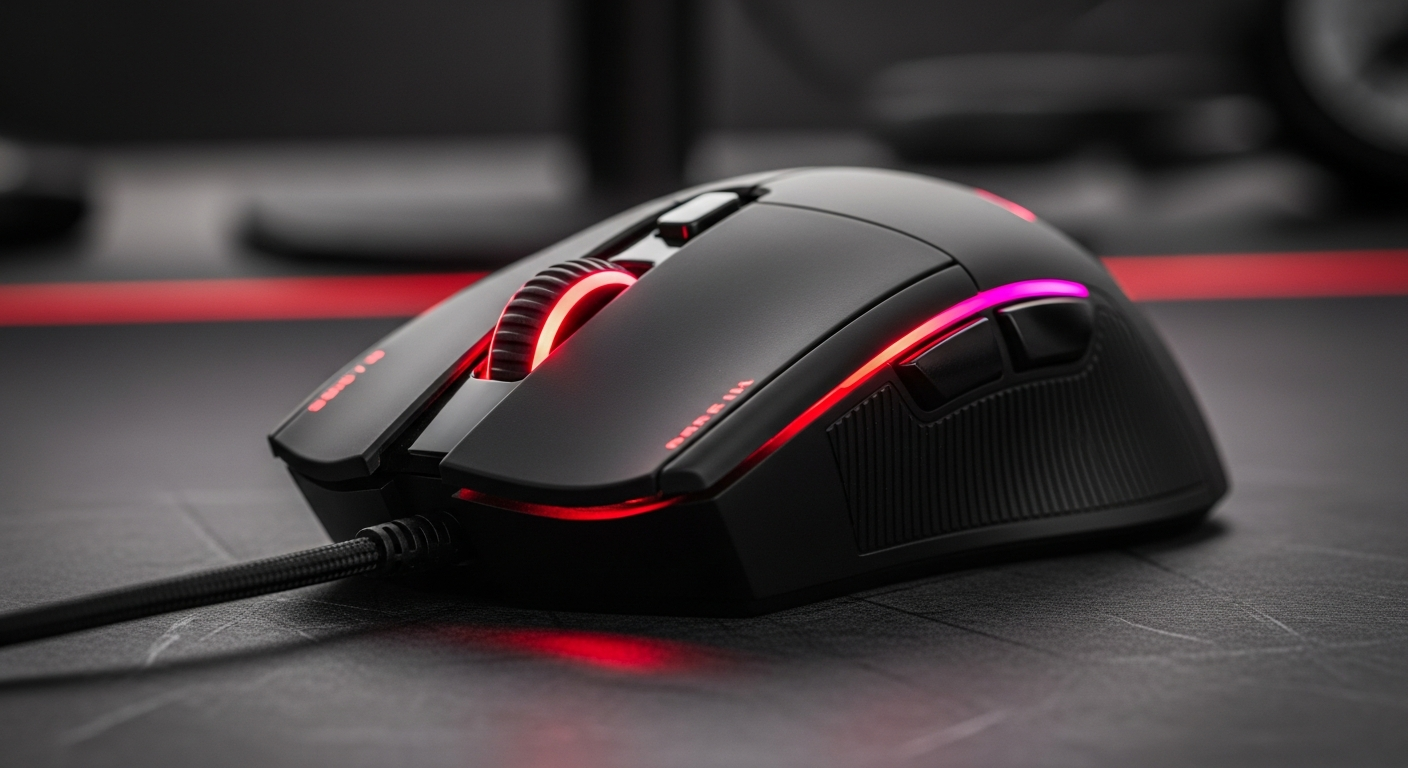
The latest gaming mouse innovations focus on ultra-low latency wireless, lightweight designs, and high-precision optical sensors, offering unparalleled responsiveness and comfort for competitive play.
Table of Contents
In the competitive landscape of modern gaming, every millisecond and precise movement counts. A truly great gaming mouse can be the difference between victory and defeat, embodying the technological advancements highlighted by recent trends.
What Defines a Gaming Mouse?
Unlike standard mice, gaming mice are engineered for precision, speed, and durability, offering a distinct competitive edge through specialized features designed for intensive play.
- High-Performance Sensor: Equipped with advanced optical or laser sensors capable of tracking extreme speeds and accelerations without skipping.
- Customizable DPI/CPI: Allows on-the-fly adjustment of sensitivity, crucial for switching between precise aiming and rapid movement.
- Programmable Buttons: More buttons than standard mice, often macro-enabled for complex in-game commands.
- Enhanced Polling Rate: Reports its position to the computer more frequently (e.g., 1000 Hz), ensuring minimal input lag.
- Durable Switches: Built with robust mechanical or optical switches rated for millions of clicks, far surpassing standard mouse durability.
- Ergonomic Design: Shaped to fit various grip styles comfortably during long gaming sessions, reducing fatigue and improving control.
Sensor Technology: The Heart of Precision
The sensor is the brain of your gaming mouse, dictating its accuracy and tracking ability. Modern optical sensors have largely surpassed laser sensors for their consistent performance across various surfaces.
- DPI (Dots Per Inch): Represents how many pixels the cursor moves per inch of physical mouse movement. Higher DPI is not always better; it depends on monitor resolution and personal preference.
- IPS (Inches Per Second): Indicates the maximum speed at which the sensor can track without malfunctioning or spinning out, critical for high-speed flick shots.
- Acceleration: Software or hardware-based cursor speed increase not directly proportional to physical movement, generally undesirable for competitive gaming where consistency is key.
- Polling Rate (Hz): Measures how often the mouse reports its position to the computer. A 1000 Hz polling rate (1ms response time) is standard for competitive gaming, minimizing latency.
- Lift-Off Distance (LOD): The height at which the sensor stops tracking when lifted off the mousepad, ideally very low to prevent unwanted cursor movement during mouse resets.
- Pixel Perfect Tracking: High-end sensors are designed to provide 1:1 tracking, meaning every physical movement translates directly to cursor movement without interpolation.
Ergonomics & Grip Styles
Comfort is paramount for prolonged gaming sessions. A mouse's shape and size must complement your hand size and preferred grip style to prevent fatigue and maximize control.
- Palm Grip: The entire palm rests on the mouse, providing maximum stability and comfort, often favoring larger, contoured mice.
- Claw Grip: Fingers are arched, with fingertips and the heel of the palm contacting the mouse, offering a balance of control and agility, suitable for medium-sized mice.
- Fingertip Grip: Only the fingertips contact the mouse, allowing for maximum precision and rapid micro-adjustments, best suited for smaller, lighter mice.
- Hand Size: Crucial for choosing a mouse that fits naturally, preventing strain and ensuring all buttons are easily accessible.
- Weight Distribution: A well-balanced mouse feels more consistent to move and lift, regardless of overall weight.
- Surface Finish: Matte textures often provide better grip and absorb sweat, while glossy finishes can be slippery but are easier to clean.
Wired vs. Wireless: The Modern Debate
Modern wireless gaming mice have largely overcome past latency and reliability issues, now offering performance on par with their wired counterparts, making the choice often a matter of preference.
- Latency: Advanced 2.4 GHz wireless technology provides near-zero latency, often matching or even surpassing wired speeds in perception.
- Battery Life: Contemporary wireless mice boast impressive battery life, often lasting 70+ hours on a single charge, some with convenient charging docks or Qi wireless charging.
- Weight Considerations: Wireless mice historically were heavier due to batteries, but recent innovations have led to ultra-light wireless models challenging wired counterparts.
- Freedom of Movement: Eliminates cable drag, providing an unrestricted glide experience crucial for large mousepad movements and dynamic gameplay.
- Cable Drag (Wired): While consistent, wired mice can suffer from cable drag unless paired with a mouse bungee, affecting fluid movement.
- Reliability: Both wired and modern wireless connections are highly reliable, though wired offers absolute consistency without battery concerns.
Buttons, Switches & Customization
Beyond the standard left and right clicks, a gaming mouse offers a suite of customizable buttons and superior switches that can significantly enhance gameplay through personalized commands and macros.
- Programmable Buttons: Allows users to assign custom functions, keyboard binds, or complex macros to extra buttons, streamlining in-game actions.
- Mechanical Switches: Traditionally used for mouse clicks, known for their tactile feedback and durability, but can develop "double-clicking" issues over time.
- Optical Switches: Utilize an infrared light beam to register clicks, eliminating debounce delay and preventing double-clicking, offering faster, more consistent response times and superior longevity.
- Scroll Wheel: Essential for weapon switching or scrolling, with some featuring tilt-click functions or adjustable resistance for tactical advantages.
- On-Board Memory: Stores custom profiles directly on the mouse, allowing users to retain their settings across different computers without software installation.
- Durable Build Materials: High-quality plastics, rubberized grips, and braided cables contribute to the mouse's overall lifespan and premium feel.
Weight and Balance: A New Frontier
The trend towards ultra-lightweight gaming mice has revolutionized player control, offering quicker movements and less fatigue. However, personal preference for weight remains a significant factor.
- Ultra-Lightweight Design: Mice often weighing under 60-70 grams reduce inertia, allowing for faster flick shots and easier wrist movements, especially beneficial for FPS games.
- Adjustable Weight Systems: Some mice offer modular weights, allowing users to fine-tune the mouse's overall weight and balance to their exact preference.
- Balance Point: A mouse with a central and stable balance point feels more natural and controllable during lifts and swipes, regardless of its total weight.
- Material Choices: Manufacturers achieve lightweight designs through perforated shells (honeycomb), thinner plastics, and optimized internal components.
- Impact on Fatigue: Lighter mice significantly reduce wrist and arm strain during extended gaming sessions, crucial for competitive play.
- Subjective Preference: While lightweight is popular, some players still prefer a heavier mouse for perceived stability and control, highlighting personal choice.
Frequently Asked Questions
+ What DPI is best for gaming?
There's no single "best" DPI; it's highly personal. Competitive players often use lower DPI (400-1600) combined with lower in-game sensitivity for precise control, allowing for larger, more accurate arm movements. Higher DPI might suit high-resolution monitors or specific game types.
+ Are wireless gaming mice as good as wired ones now?
Yes, absolutely. Modern wireless gaming mice utilize advanced 2.4 GHz technology that delivers imperceptible latency, often matching or even surpassing wired performance. They offer the freedom of movement without cable drag, making them a top choice for serious gamers.
+ What's the difference between optical and mechanical switches in a mouse?
Mechanical switches use a physical contact to register a click, which can lead to debounce delay and potential double-clicking issues over time. Optical switches use an infrared light beam, offering instantaneous activation, no debounce delay, and vastly superior durability, preventing common wear-and-tear problems.
Final Thoughts
Choosing the right gaming mouse is a personal journey that significantly enhances your gaming experience and performance. Armed with this detailed understanding of key features and technologies, you're now equipped to find your perfect match and dominate the digital battlefield.
Share:
Mechanical Keyboards: The Gamer's Ultimate Weapon for Victory
Gaming Earbuds: Experience Lag-Free Wireless Audio