

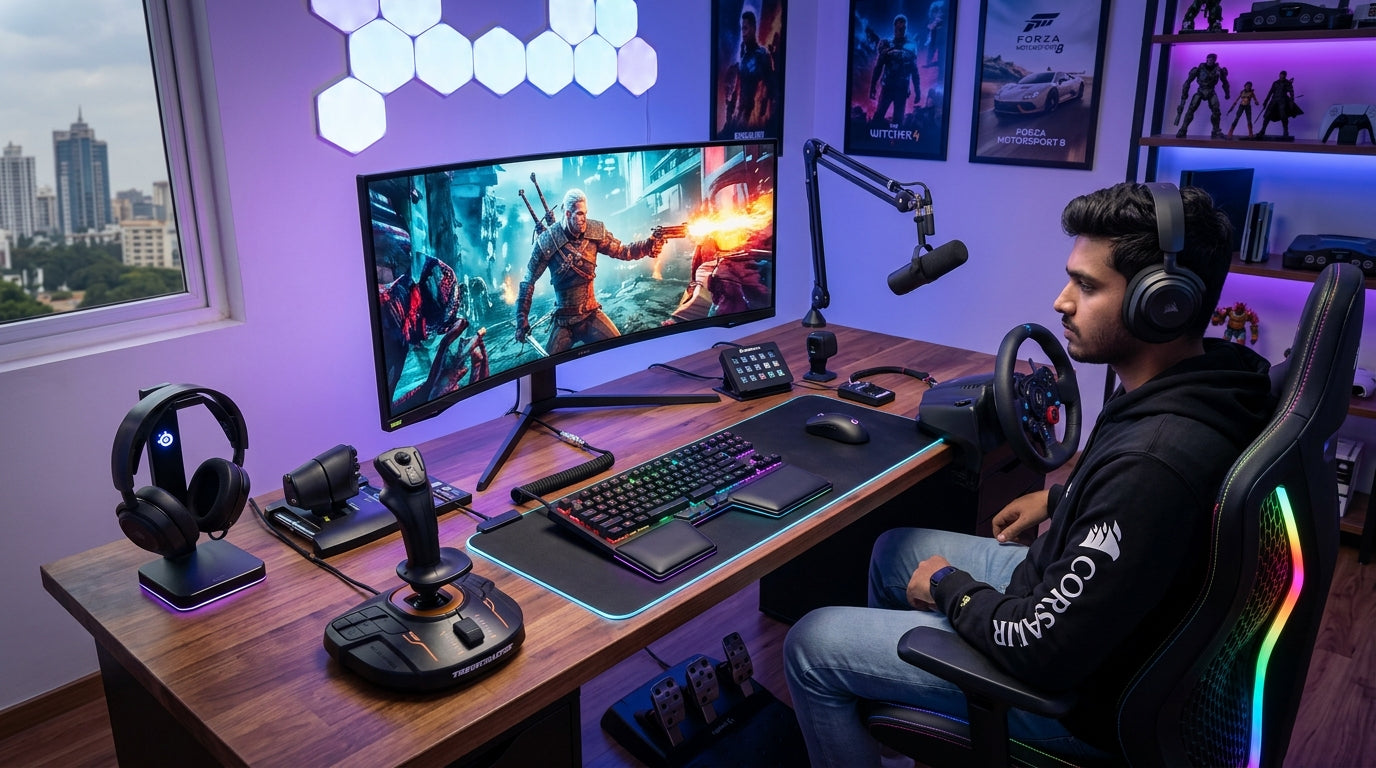
In the evolving landscape of Indian PC gaming, smart investment is key. With rising component costs, optimizing your existing setup or making highly informed peripheral choices becomes paramount. This guide will empower you to strategically select and fine-tune your keyboard, mouse, and headphones, ensuring every rupee enhances your specific playstyle and delivers peak performance across all your favorite gaming genres.
The Foundation: Understanding Your Playstyle & Budget
- Identify your primary gaming genres, whether it's the fast-paced action of FPS, the strategic depth of MOBAs, or the expansive worlds of RPGs.
- Reflect on your unique playstyle within these genres – are you an aggressive rusher, a meticulous strategist, or an immersive explorer?
- Establish a realistic budget for each peripheral category to guide your choices effectively.
- Prioritize comfort and ergonomics, as prolonged gaming sessions demand gear that supports your well-being.
- Consider the long-term value and durability of peripherals to maximize your investment.
Keyboards for Precision & Speed: Genre-Specific Choices
- General Considerations: Mechanical switches offer superior tactile feedback and durability over membrane keyboards.
- Look for N-Key rollover and anti-ghosting to ensure every command registers, even during intense multi-key presses.
- Consider wired connections for minimal latency in competitive scenarios, or wireless for a clutter-free setup.
- For FPS (First-Person Shooters):
- Compact layouts (TKL or 60%) free up crucial desk space for wide mouse movements.
- Linear switches (e.g., Red) allow for rapid, consistent key presses and quick double-taps.
- A robust build quality ensures longevity through countless competitive matches.
- For RPG/MMORPG (Role-Playing Games):
- Full-size or 96% layouts provide access to a dedicated numpad and more programmable keys for macros.
- Tactile (e.g., Brown) or Clicky (e.g., Blue) switches offer satisfying feedback for skill rotations and item usage.
- Dedicated multimedia controls simplify audio management without alt-tabbing.
- For MOBA (Multiplayer Online Battle Arenas):
- Durable switches are essential to withstand the repetitive key spamming common in MOBAs.
- Excellent anti-ghosting ensures all ability commands register perfectly.
- Accessible function keys or programmable macro keys can streamline item activation and spell casting.
Mice for Agility & Control: Tailoring Your Aim
- General Considerations: A high-quality optical sensor is paramount for accurate tracking and responsiveness.
- Ergonomics are crucial; choose a mouse that fits your grip style (palm, claw, fingertip) comfortably.
- Adjustable DPI (Dots Per Inch) settings allow you to fine-tune sensitivity to your preference.
- Programmable buttons offer quick access to in-game actions or macros.
- For FPS (First-Person Shooters):
- Prioritize lightweight mice for rapid flick shots and sustained tracking.
- A precise sensor with minimal lift-off distance enhances control during intense engagements.
- Minimal extra buttons prevent accidental presses, keeping focus on core gameplay.
- For RPG/MMORPG (Role-Playing Games):
- Mice with multiple programmable side buttons (often called 'MMO mice') are invaluable for complex skill rotations and inventory management.
- A comfortable, ergonomic design is vital for long hours of exploration and questing.
- On-board memory allows you to store profiles for different characters or games.
- For RTS/Strategy (Real-Time Strategy):
- A mouse with balanced weight and smooth glide feet facilitates precise unit selection and map navigation.
- Reliable scroll wheel for quick zooming and group command execution.
- Consider macro capabilities for rapid building or unit deployment.
Headphones for Immersion & Awareness: Hearing Every Detail
- General Considerations: Soundstage and imaging are key for accurately pinpointing in-game sounds.
- Comfortable earcups and a lightweight headband are essential for extended wear without fatigue.
- A clear, noise-canceling microphone ensures effective communication with teammates.
- Wired headphones generally offer lower latency and better audio quality, while wireless provides freedom.
- For FPS (First-Person Shooters):
- Emphasize precise spatial audio to detect enemy footsteps, reloads, and gunshots.
- Look for a balanced sound profile that doesn't over-emphasize bass, obscuring critical audio cues.
- A high-quality, unidirectional microphone is vital for clear, concise callouts.
- For MOBA/RTS (Multiplayer Online Battle Arenas/Real-Time Strategy):
- Balanced audio clarity for voice comms, in-game alerts, and ability sounds.
- Excellent microphone performance for coordinating complex strategies with your team.
- Comfortable fit for intense, focused gameplay sessions that can last for hours.
- Good sound isolation can help maintain focus amidst environmental distractions.
- For RPG/Adventure (Role-Playing Games/Adventure):
- Rich, immersive soundscapes enhance environmental audio, cinematic moments, and musical scores.
- Comfortable, over-ear designs are preferred for long, story-driven gameplay sessions.
- Good bass response adds impact to explosions, magic, and environmental effects.
- Optional virtual surround sound can deepen immersion in vast game worlds.
Fine-Tuning Your Setup: Maximizing Performance & Value
- Experiment with mouse DPI settings, polling rates, and in-game sensitivity to find your sweet spot.
- Utilize peripheral software to customize keybinds, macros, and RGB lighting to match your preferences.
- Optimize your desk space, cable management, and chair ergonomics for peak comfort and performance.
- Regularly clean your keyboard, mouse, and headset to maintain optimal functionality and longevity.
- Keep your peripheral firmware updated to benefit from performance improvements and bug fixes.
- Invest in a high-quality mouse pad that complements your mouse and playstyle for consistent tracking.
Top Recommended Picks

Keyboard
- RGB backlight
- compact gaming layout
- anti-ghosting
- side light strips

Keyboard
- 78-key compact layout
- wireless connectivity
- RGB lighting

Keyboard
- 104-key full-size
- 26-key anti-ghosting + N-Key rollover
- RGB rainbow + side lights
- dedicated volume knob
- magnetic palm rest
- detachable braided Type-C cable
- dedicated ₹ key
- double-shot keycaps
- 1-year warranty

Keyboard
- 96% compact layout with numpad
- 18+ RGB lighting modes
- software macro customization
- multimedia knob
- high-grade ABS build
- multi-device switching
- software downloadable
Final Thoughts
In the vibrant Indian PC gaming scene, making informed choices about your peripherals is more crucial than ever. By understanding your specific genre needs, playstyle, and budget, you can craft a personalized setup that maximizes performance and immersion. Every rupee invested strategically can truly elevate your gaming experience, ensuring you're always ready for the next challenge.
Share:
Smart Plays: Maximizing Your Gaming Peripherals When PC Upgrades Are Costly in India (2026)
Beyond DPI: The Ultimate Guide to Gaming Mice for Indian Gamers (2026)